Distracted-driving crashes killed 3,208 people in the United States in 2024, according to NHTSA’s distracted-driving crash report. Preventing those crashes takes more than promising yourself you won’t text.
If you want to know how to avoid distracted driving, start before the engine does. Give your phone a storage spot, finish setting the car, and give passengers clear responsibilities. That’s a stronger plan than testing your willpower when traffic gets complicated.
Pre-Drive Routine and Car Settings
Most distraction prevention happens before departure. Finish your phone tasks and set the car while you’re parked, not while you’re approaching the first intersection.
The stakes justify making this routine nonnegotiable. NHTSA identified distraction in 3,021 fatal crashes in 2023, and its distracted-driving prevention campaign reports more than 315,000 injuries in 2024.
Finish the setup before moving
-
Enter your destination and review the route. Turn on voice guidance before leaving the driveway. Check the first turn and the destination entrance so you aren’t trying to solve either problem while moving.
-
Choose your audio now. Select a playlist, podcast, or preset station and set the volume. The common slip is postponing this until the first red light, then continuing to browse when traffic starts.
-
Activate Driving Focus or Do Not Disturb While Driving. These settings limit interruptions from your phone. Configure them while parked, and confirm they’re active rather than assuming they switched on automatically.
-
Silence nonessential notifications. If you allow urgent contacts through, keep that list short. An allowed notification isn’t permission to answer while driving; it identifies something to address at a safe stop.
-
Put the phone in its assigned place. Use the glove compartment, center console, trunk, or back seat. A mount may support navigation, but it doesn’t make message previews harmless. Keep unnecessary screen content out of view and never reach for a device that slides away.
-
Designate passenger assistance. Before departure, identify who will handle navigation or communications. Don’t wait until you’re lost to hand over a phone and explain what you need.
Use this visual as a reminder before each departure.
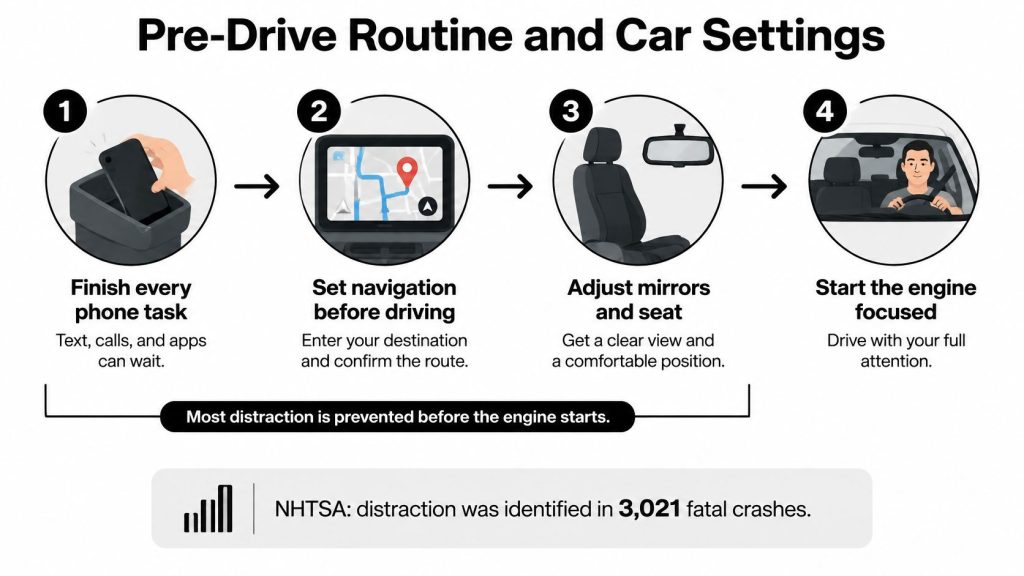 /figure>
Give the car’s controls the same attention
Your dashboard deserves the same preparation as your phone. Searching a touchscreen menu for airflow or looking down for a seat switch still takes attention away from traffic.
Car settings and when to set them
| Distraction source | Setting or habit | When to set it |
|---|---|---|
| Navigation | Voice guidance on, destination and route entered | Before leaving the driveway |
| Climate controls | Automatic mode at a comfortable temperature | Before leaving the driveway |
| Audio | Preset station or playlist, volume set | Before leaving the driveway |
| Mirrors and seat | Adjusted by hand and locked in position | Before starting the engine |
| Steering-wheel controls | Button layout and voice commands learned | In a parking lot, not on a highway |
If your vehicle lacks automatic climate control, choose a comfortable fan speed and temperature while parked. Learn unfamiliar controls with the vehicle stationary rather than experimenting during a trip.
Keep your settings stable unless visibility or safety requires a change. If an adjustment needs searching, reading, or repeated inputs, stop somewhere safe first.
Before moving, ask yourself: Does any non-driving task still need my hands or eyes? If the answer is yes, you haven’t finished preparing.
Breaking the Reach-for-Your-Phone Habit
Drivers don’t reach for phones only because they misunderstand the danger. They reach because a customer expects an answer, a family member might need help, or checking a notification has become automatic.
A red light can become a trigger: the car stops, your hand moves, and you’re reading before you’ve consciously decided to check. Telling yourself to be more disciplined doesn’t change the environment that invites that response.
Replace the trigger with a clear response
A 2025 AAA-supported study found that activating a do-not-disturb countermeasure reduced the odds of a smartphone task by 41%. That’s a reduction in task odds, not a guarantee against distraction, and the setting has to be switched on.
The Johns Hopkins distracted-driving evidence review also cautions that education alone is insufficient and supports combining education with enforcement and technologies that limit device use. Knowing the rule and making the rule easy to follow are different jobs.
Build a replacement habit:
- Set expectations before the trip. Tell anyone waiting for your reply that you’ll be unavailable while driving. For work travel, put that expectation in your calendar or departure message.
- Use the storage spot immediately. Don’t leave the phone beside your leg until the first notification. Start the trip with the boundary already in place.
- Treat a buzz as something for later. Keep driving and identify a suitable stopping place if a response is necessary. Don’t pick up the device to decide whether the message is important.
Compare the options in our guide to apps for safe driving while you’re parked. Choose a tool you’ll activate, not one you’ll bypass whenever you’re busy.
Practical rule: Don’t make a fresh decision about your phone every time it makes a sound. Make the decision before departure.
Repeat the same response on routine errands and long journeys alike. A phone consistently stored out of reach becomes a phone you stop expecting to check.
Why Hands-Free Calls Still Pull Your Attention
Hands-free calling isn’t distraction-free driving. Keeping both hands on the wheel doesn’t mean your full attention stays on traffic.
The World Health Organization reports that drivers using mobile phones are approximately four times more likely to be involved in a crash than drivers who aren’t using them, with similar risk for handheld and hands-free use. WHO identifies slower braking and traffic-signal reactions, poorer lane control, and difficulty maintaining a safe following distance.
This illustration highlights the difference between looking forward and staying mentally engaged.
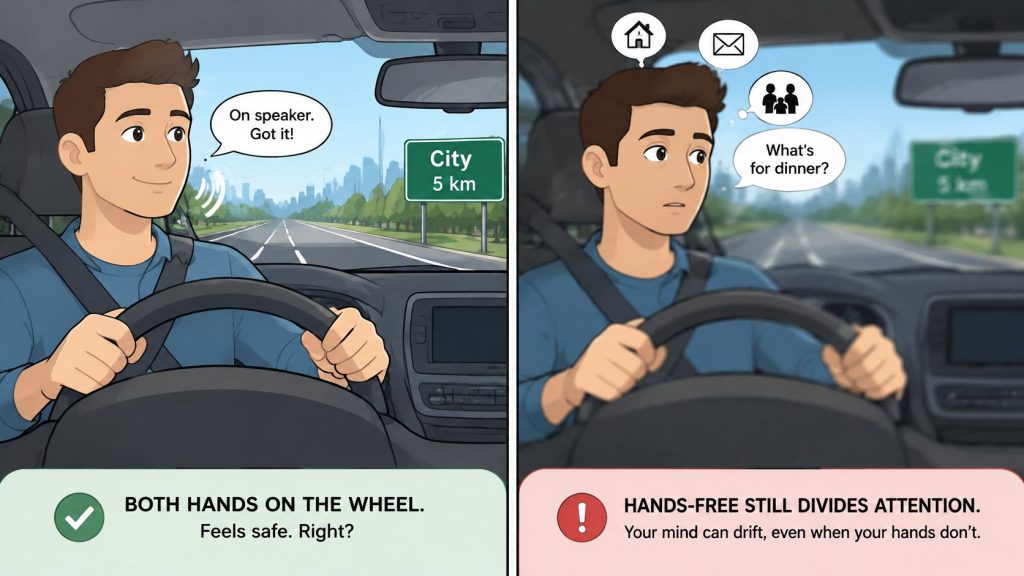
Cognitive distraction means your mind is occupied by something other than driving. You can face the windshield while mentally composing an answer to a difficult question.
Say a work check-in turns into a discussion about a missed deadline. As traffic tightens on the highway, you’re recalling emails and defending a decision instead of fully tracking brake lights and available space.
If a conversation requires problem-solving, negotiation, or emotional energy, end it and continue from a safe, legal stopping place.
For additional context, the explanation of hands-free driving risks from Lein Law Offices addresses why removing the handset doesn’t remove the attention problem.
Common questions about hands-free use
Should I keep calls to brief check-ins?
The safer choice is to postpone calls. If you’ve already answered, keep the check-in brief, tell the caller you’re driving, and end it rather than letting it become a conversation.
Are voice commands distracting too?
They can be, especially when the system misunderstands you or requires repeated corrections. Use them only for simple actions when necessary, and stop before attempting anything complicated.
- Delay difficult topics. Don’t discuss arguments, financial decisions, or work problems while driving.
- Don’t troubleshoot the system. If Bluetooth or voice recognition fails, leave it alone until parked.
The decision rule is to stop for the conversation, not switch devices to continue it.
Texts, Urgent Messages and Florida Phone Penalties
Don’t type or read messages while the car is moving. If something is urgent enough to need your attention, it’s important enough to handle from a safe stopping place.
Under Florida’s Wireless Communications While Driving Law, section 316.305, effective July 1, 2019, officers may stop drivers for manually typing or entering multiple letters, numbers, or symbols; the state lists the following texting penalties.
Florida texting penalties by offense
| Offense | Violation type | Base fine | License points |
|---|---|---|---|
| First texting violation | Nonmoving | $30 | None |
| Second violation within five years | Moving | $60 | 3 |
Base fines exclude court costs and other fees. Review our guide to Florida cell phone driving laws before assuming that a particular phone task is permitted.
Why a short message still matters
Texting combines visual distraction, taking your eyes away; manual distraction, taking a hand away; and cognitive distraction, taking your mind away. You’re not just looking at another object; you’re reading, interpreting, and preparing a response.
NHTSA explains that reading or sending a text takes your eyes off the road for about 5 seconds, equivalent at 55 mph to traveling roughly the length of a football field without looking. A message that feels brief can occupy the exact moment when another driver brakes or a pedestrian enters your path.
Use a safe-stop rule for urgent messages
- Signal your intention. Check surrounding traffic before changing direction or leaving the roadway.
- Choose a legal, safe location. Use a suitable parking lot or designated stopping area, not an active lane or an unsafe roadside position.
- Park fully. Secure the vehicle before picking up the phone.
- Then respond. Finish the exchange before preparing to rejoin traffic.
A missed notification is almost always less risky than diverting your attention to assess it. Tell time-sensitive contacts your expected arrival before leaving, and don’t let someone else’s demand for an immediate answer determine your driving behavior.
If you use voice-to-text, reserve it for very short replies after parking. Dictating a long explanation still requires attention, and correcting transcription mistakes can pull you into screen interaction.
Call 911 only for emergencies. Have a passenger make the call when possible, or stop safely when circumstances allow.
Traveling outside Florida requires checking the destination state’s rules. For Texas travel, guidance from Law Office of Bryan Fagan provides a state-specific starting point rather than assuming Florida’s rules apply everywhere.
Passenger Roles and Family Phone Rules
Give passengers a job before departure. On a family trip, the front-seat adult can manage the route while another capable passenger handles necessary messages, leaving the driver responsible for driving.
Say you miss an exit. The navigator checks the alternative route and gives a calm instruction rather than holding a screen in front of your face or demanding an abrupt lane change.
Make assistance useful, not noisy
The navigator handles directions and route changes when asked. The messenger filters incoming communications, gives only necessary information, and sends a short reply without turning the message into a group discussion.
A passenger shouldn’t read an upsetting message aloud because it arrived. Ask them to save nonessential news until you’re parked.
- Navigator responsibility. Give directions early and accept a missed turn without criticism.
- Messenger responsibility. Handle logistics without demanding that the driver approve every word.
- Driver responsibility. Ask for quiet before a difficult merge, busy intersection, or unfamiliar maneuver.
For a professional who must work continuously during a journey, the better choice may be not to drive. Services such as chauffeured transport for business travelers from Unique Private Transportation separate the person handling business communications from the person operating the vehicle.
Establish household rules before the first trip
Teen drivers need particularly clear boundaries. NHTSA reports that texting increases a teen driver’s crash risk by 23 times and recommends limiting teen passengers and driving hours.
Use our teen driving safety guide to support a household agreement. No household member uses a phone while driving, parents don’t call a teen they know is driving, and passengers respect requests for quiet.
Suppose a child asks for a song change at a four-way stop. The driver keeps attention on right-of-way and leaves the audio alone; at a signalized intersection, a green light is the cue to drive, not finish negotiating a playlist.
Family agreement: Everyone helps protect the driver’s attention, including the person sending messages from home.
Set these expectations before anyone buckles in. It’s much easier to follow a settled rule than debate one in traffic.
Enroll in a Florida Driver Improvement Course
If you’ve recently received a moving violation, make the Basic Driver Improvement course your next step. Use the citation as a reason to change the decisions you make before and during every trip.
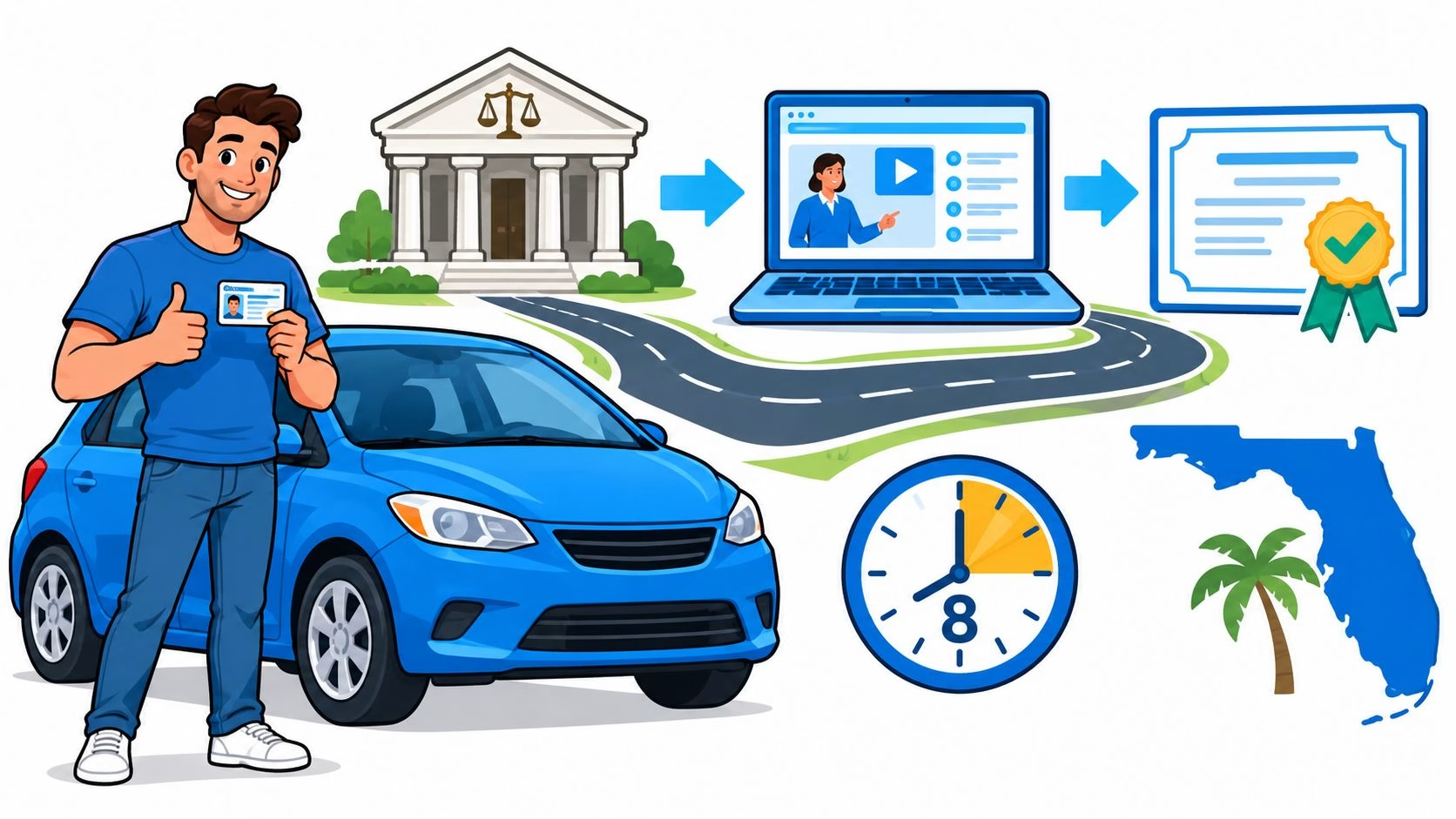
Our state-approved Florida’s Basic Driver Improvement Course, also called Florida Four-Hour Traffic School, helps eligible drivers avoid points on their driver license. It’s fully online, self-paced, and available in English, Spanish, and Portuguese.
Review our Florida driver improvement course online information and confirm the requirements that apply to your citation. Don’t assume that enrolling alone completes your obligation or guarantees a particular insurance premium.
Turn the decision into action
Registration asks for your name, driver license, and email address. Enter those details carefully because they’re used to generate your completion certificate.
The process should end with both a completed requirement and a better driving routine.
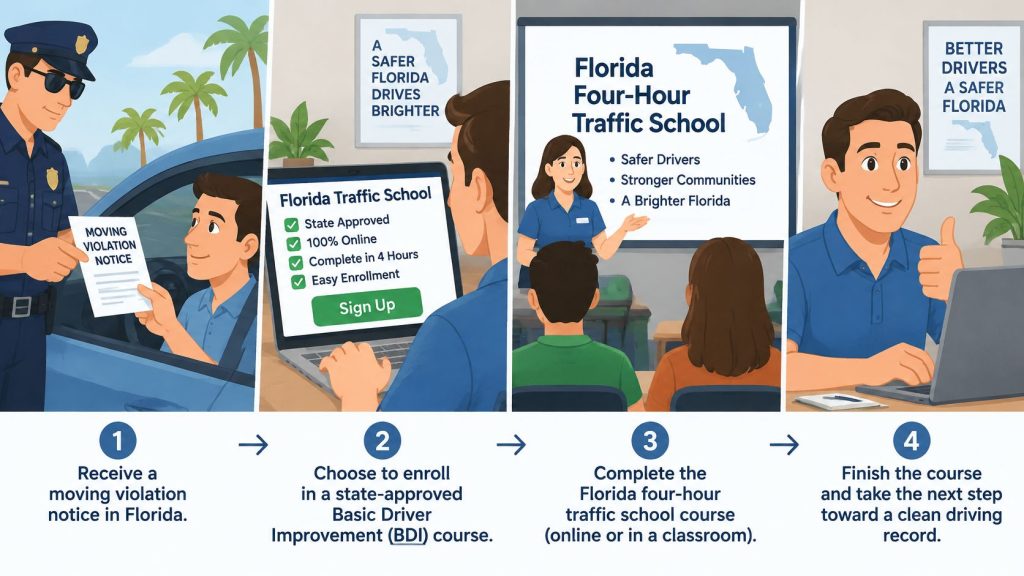
Use this checklist this week:
- Prepare your vehicle. Establish your pre-drive routine and car settings.
- Agree on responsibilities. Assign passenger roles and settle household phone rules.
- Register and finish. Use the course registration page to enroll and start, then complete the course before your applicable citation deadline.
Can a course replace daily practice?
No. Completing instruction and changing your behavior are separate responsibilities.
Apply what you learn on the next errand, commute, and family trip. The lasting benefit comes from making attentive driving your normal routine, not something you attempt only when traffic feels dangerous.
BDISchool offers Florida’s Basic Driver Improvement Course for drivers who’ve recently received a moving violation and want to strengthen safer driving habits. Visit BDISchool to register and start, then put distraction prevention into practice before your next departure.